

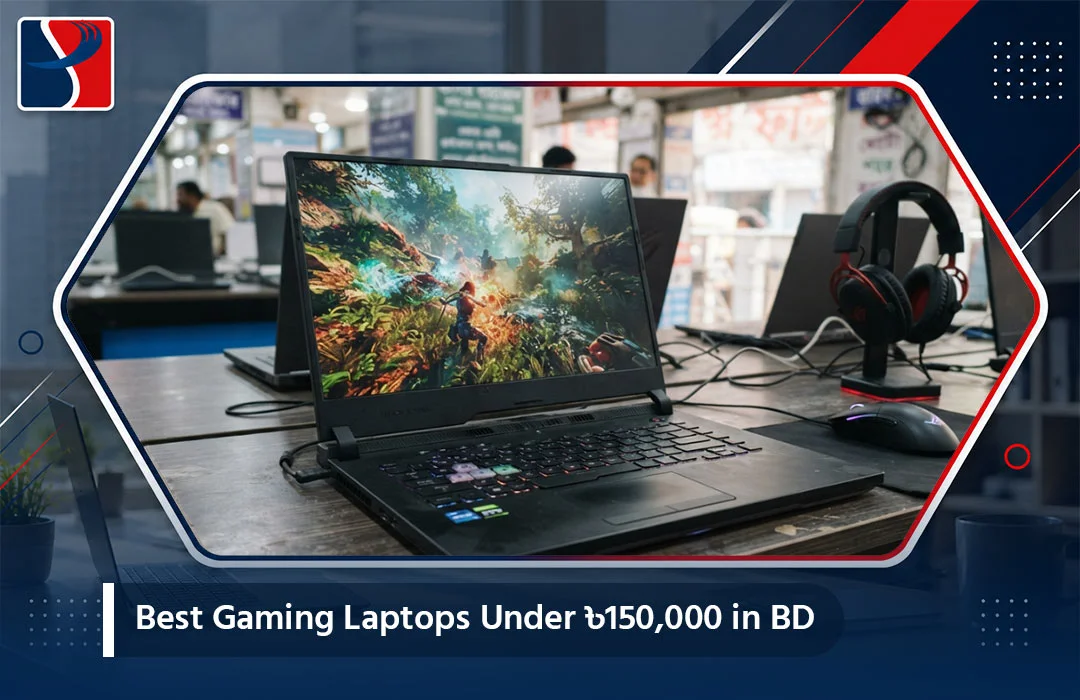
If you have been scrolling through Facebook marketplace groups, Daraz listings, and half a dozen tech shop websites trying to find a gaming laptop that will not empty your bank account, you already know the frustration. Gaming laptops in Bangladesh jump in price fast. One moment you are looking at a perfectly reasonable ৳120,000 machine, and the next click takes you to something north of ৳250,000 with barely a better graphics card to show for it.
The good news is that ৳150,000 is actually a very workable budget in 2026. It sits right in the sweet spot where you can get a proper RTX-class GPU, a 144Hz display, and enough RAM to run modern titles like Valorant, PUBG: New State, GTA V, EA FC, and even the occasional AAA release at medium-to-high settings without the laptop sounding like it is preparing for takeoff. You just need to know which specs actually matter and which are marketing noise.
This guide breaks down what to look for, which models are worth your money right now, and how the buying experience differs between the big retailers in Dhaka so you do not overpay or get stuck with a grey-market unit that has no real warranty behind it.
What ৳150,000 Actually Buys You in 2026
Before jumping into specific laptops, it helps to set realistic expectations. At this price point in Bangladesh, you are typically looking at:
- CPU: AMD Ryzen 7 (7000 or 200-series) or Intel Core i5/i7 H-series (13th or 14th Gen)
- GPU: RTX 3050, RTX 4050, or occasionally an entry RTX 5050 on promotional pricing
- RAM: 16GB DDR5, upgradeable to 32GB
- Storage: 512GB to 1TB NVMe SSD
- Display: 15.6-inch FHD panel, 144Hz refresh rate
Anything advertised well below this spec sheet at the same price should raise a flag — it is either old stock, a grey-market import, or missing the official warranty card that matters a lot if something goes wrong six months in.
Why RTX Graphics Matter More Than the CPU Badge
A lot of first-time gaming laptop buyers in Bangladesh fixate on the processor name because it is the number they recognize. In reality, for gaming performance specifically, the GPU carries far more weight than the CPU once you are past a baseline Ryzen 5 or Core i5. An RTX 4050 paired with a mid-tier CPU will outperform an RTX 3050 paired with a flagship CPU in almost every game that matters.
So when you are comparing two laptops at a similar price, always check the GPU model and its VRAM (6GB is now the realistic minimum for comfortable 1080p gaming) before you get distracted by whether it says “Core i7” or “Ryzen 7” on the box.
Top Picks Under ৳150,000
1. HP Victus 15 (Ryzen 7 7445HS, RTX 4050 6GB, 16GB DDR5) The Victus line has become one of the most consistent value picks in this bracket. The 7445HS is a genuinely strong mobile chip, the RTX 4050 handles 1080p gaming at high settings comfortably, and the chassis, while plastic, is sturdy enough for daily transport to university or a gaming café session with friends. You can check current stock and configuration on System Palace’s HP Victus laptop collection.
2. Lenovo LOQ 15 (Ryzen 7 7735HS / Ryzen 7 250, RTX 4050 6GB, 16GB DDR5, 512GB SSD) Lenovo’s LOQ series exists specifically to compete in this exact price bracket, and it shows. The cooling design borrows heavily from the Legion line, which means sustained gaming sessions do not throttle as aggressively as you would expect from a budget-gaming chassis. Browse the current LOQ lineup on System Palace’s Lenovo LOQ gaming laptop page.
3. HP Victus 15 (Core i5-13420H, RTX 3050 6GB) If your budget sits closer to ৳110,000, this configuration is a dependable fallback. The RTX 3050 will not handle every 2026 title at high settings, but for esports titles and most single-player games at medium-high settings, it still performs well. This is a good entry point into the Gaming Series category if RTX 4050 models are stretching your budget.
4. Lenovo LOQ 15IRX10 (Core i7-14700HX, RTX 5050 8GB) When it goes on promotional pricing near the ৳150,000 mark, this configuration is arguably the best value on this entire list. The 14700HX is a genuinely powerful CPU for the price bracket, and 8GB of VRAM on the RTX 5050 gives you noticeably more headroom for 2026 and 2027 titles compared to 6GB cards.
Competitor Analysis: Where to Actually Buy These in Bangladesh
This is the part most gaming laptop guides in Bangladesh skip, but it matters just as much as the spec sheet. Here is how the main options compare:
Star Tech is the largest and most recognized computer retailer in the country, with dozens of physical branches and the widest overall catalog. Their strength is sheer selection and brand recognition, but that scale also means customer service can feel impersonal, and popular gaming configurations sell out fast during festival seasons, pushing buyers toward pricier alternatives on the same page.
Ryans Computers is close behind Star Tech in size and reputation, and their warranty claim process (using just a phone number instead of requiring a physical receipt) is genuinely convenient. However, pricing on gaming-specific configurations tends to run slightly higher than smaller competitors, and stock of the exact configuration you want is not always guaranteed across branches.
Techland and Four Star IT operate similar retail-plus-online models, generally competitive on price but with a narrower gaming laptop selection than the two leaders above.
System Palace positions itself differently — a curated, in-stock catalog rather than an overwhelming one, genuine products sourced through authorized distributors, same-day Dhaka delivery, and a dedicated RMA and service center rather than routing repairs through a third party. For someone who already knows roughly what specs they want (RTX 4050, 16GB RAM, 512GB SSD) and does not want to wade through dozens of near-identical listings, that curation is the actual advantage. You can compare configurations directly on the Laptop category page or check the full Gaming Series lineup before deciding.
The honest takeaway: Star Tech and Ryans win on sheer catalog size, but System Palace tends to win on a combination of genuine-product guarantees, faster Dhaka delivery, and a shopping experience that does not require comparing fifteen nearly identical Victus variants before you can check out.
Things to Check Before You Buy Any Gaming Laptop in BD
1. Confirm the exact GPU variant. Nvidia’s naming can be misleading — an RTX 4050 in one chassis may run at a lower TGP (power limit) than the same GPU in another. If a listing does not specify wattage, ask the seller directly.
2. Check the warranty terms in writing. “1 year warranty” can mean very different things depending on whether it covers the battery, screen, and keyboard, or just the motherboard.
3. Ask about the display panel, not just the refresh rate. A 144Hz TN panel and a 144Hz IPS panel look completely different in person. IPS is almost always worth the small price difference for color accuracy and viewing angles.
4. Factor in thermal design, not just benchmark numbers. Two laptops with identical specs can perform very differently under a 45-minute gaming session if one has better cooling. Read recent user reviews specifically about sustained performance, not just synthetic benchmark scores.
5. Don’t ignore battery and portability if you carry the laptop daily. Gaming laptops in this price range typically get 3-5 hours of general use battery life, less under load. If you need something you can also use comfortably for classes or office work between gaming sessions, check our best laptops for office work guide for a broader perspective on everyday usability.
Should You Wait for a Price Drop or Buy Now?
Bangladesh’s laptop pricing tends to shift around two windows: the Eid shopping season and the end-of-year clearance period as retailers push out current-generation stock ahead of new GPU launches. If you are not in a rush, keeping an eye on these windows can save you anywhere from ৳3,000 to ৳10,000 on the same configuration. But if a specific model you want is in limited stock right now, waiting can also mean missing it entirely, since gaming laptop restocks in BD are not always predictable.
Final Verdict
For most buyers, an RTX 4050 laptop with 16GB DDR5 RAM and a 512GB SSD is the best balance of price and longevity under ৳150,000 in 2026. The HP Victus 15 and Lenovo LOQ 15 both deliver on that spec sheet reliably, and if you can stretch slightly toward a promotional RTX 5050 configuration, that extra VRAM will pay off over the next two to three years of gaming.
Before you commit to a purchase, browse the current in-stock options and confirm pricing on the Laptop collection at System Palace, where genuine warranty-backed units are available with same-day delivery across Dhaka.
Gaming Laptop Cooling: Why It Matters More Than the Spec Sheet Admits
One thing spec sheets never tell you is how a laptop behaves after 45 minutes of continuous gaming, once the initial thermal headroom is used up. This is where budget gaming laptops separate from each other the most. A chassis with a single fan and a thin heat pipe will throttle its clock speeds noticeably under sustained load, meaning the frame rate you see in the first five minutes of a benchmark video is not necessarily what you will get during a two-hour gaming session.
Lenovo’s LOQ and Legion lines generally perform better here because they inherit cooling architecture from Lenovo’s higher-end gaming research, even at the LOQ’s lower price point. HP’s Victus line has improved significantly in recent generations but still runs slightly warmer under extended load compared to the LOQ in most independent thermal tests. This does not mean the Victus is a bad choice — for most people who game in sessions under an hour, the difference is barely noticeable — but if you are someone who games for three or four hours at a stretch, it is worth reading recent user reviews specifically mentioning sustained performance rather than relying only on the spec sheet.
RAM and Storage Upgrades: Should You Buy More Now or Upgrade Later?
Most gaming laptops in this price bracket ship with 16GB of RAM in a dual-channel configuration and one open SSD slot for expansion. Buying with 16GB now and upgrading to 32GB later (once prices drop or your budget allows) is a completely reasonable strategy, and in Bangladesh, most retailers including System Palace can handle the RAM upgrade installation for you if you are not comfortable opening the laptop yourself.
Storage is a slightly different consideration. A 512GB SSD fills up faster than people expect once you account for Windows itself (15-20GB), a handful of AAA games (many now exceed 80-100GB installed), and general files. If your budget allows stretching to a 1TB configuration upfront, it saves you the hassle of managing storage constantly or paying for a separate upgrade down the line.
Frequently Asked Questions
Is RTX 4050 good enough for 2026 and 2027 games? For 1080p gaming at high settings, yes, with some titles requiring you to drop to medium settings for a consistently smooth frame rate. It is not a future-proof card for 4K or ultra-settings gaming, but at this price bracket, it remains one of the strongest value options available.
Should I buy a laptop with a 144Hz display or is 60Hz enough for this budget? If you play any competitive or fast-paced titles (Valorant, PUBG, Call of Duty), a 144Hz display makes a genuinely noticeable difference and is worth prioritizing. If your gaming is mostly single-player, story-driven titles, the difference matters less.
Can I use a gaming laptop for office work and studying too? Yes, gaming laptops handle everyday productivity tasks easily, though they tend to be heavier and have shorter battery life than dedicated office laptops, which is worth considering if you carry it daily to classes or work.
Is it better to buy now or wait for the next GPU generation? If a specific configuration meets your needs and budget today, buying now is usually the better move — new GPU generations typically arrive with a price premium initially, and last-generation cards often see solid price drops once newer stock lands, making current RTX 4050/5050 laptops genuinely good value right now.
Do these laptops support external monitor connections for a better gaming setup at home? Yes, all the models listed include HDMI output, and most support USB-C video output as well, letting you connect to a larger monitor or TV for a bigger-screen gaming setup when you are at home rather than on the move.