

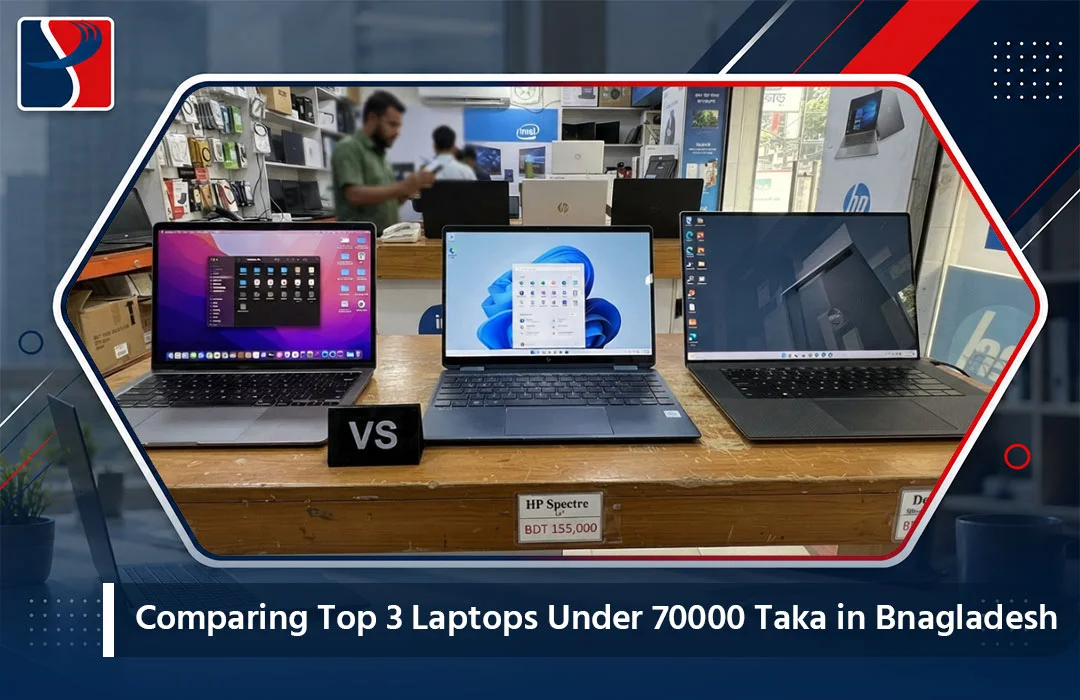
৳70,000 is one of the most competitive price brackets in Bangladesh’s laptop market. It is high enough to get a genuinely usable machine with an SSD and a recent-generation processor, but low enough that manufacturers cut corners in different places to hit the price point — sometimes on RAM, sometimes on build quality, sometimes on display panel quality. That makes this specific price range one where a side-by-side comparison actually matters, because the “best” choice depends heavily on what you personally value most.
We picked three of the strongest currently available options around this price point and compared them directly across the factors that matter most for everyday use: performance, build quality, display, battery life, and after-sales support.
The Three Laptops Compared
1. Asus Vivobook X1404VA (Core i5-1335U, Intel Iris Xe Graphics, 14-inch FHD) 2. HP OmniBook 5 Flip 14 (Intel Core 5-120U, integrated graphics, 14-inch touchscreen) 3. Lenovo IdeaPad Slim 3 15IRH10 (Core i5-13420H, Intel UHD Graphics, 15.3-inch, backlit keyboard)
Performance Comparison
The Asus Vivobook’s Core i5-1335U is a 13th Gen efficiency-focused chip — strong for everyday multitasking, browser-heavy workflows, and office applications, though it is not built for anything graphically demanding.
The HP OmniBook 5 Flip’s Core 5-120U sits in a newer naming tier that Intel introduced to simplify its lineup, and in practice performs comparably to a Core i5 in daily tasks, with slightly better efficiency for battery life.
The Lenovo IdeaPad’s Core i5-13420H is a step up in raw performance among these three, since the “H” suffix indicates a higher power envelope than the “U” chips in the other two — meaning it handles heavier multitasking, light photo editing, and background-heavy workflows a bit more comfortably.
Verdict on performance: Lenovo IdeaPad Slim 3 edges ahead, thanks to its higher-power H-series chip.
Build Quality and Design Comparison
The Asus Vivobook uses a lightweight plastic-and-metal hybrid chassis typical of its price tier — solid enough for daily use but not particularly premium-feeling.
The HP OmniBook 5 Flip stands out here specifically because of its 360-degree convertible hinge and touchscreen, which is unusual to find at this price point. The build feels slightly more premium as a result, and the flip design adds genuine functional flexibility for note-taking or media consumption.
The Lenovo IdeaPad Slim 3’s standout build feature is its backlit keyboard, a detail rarely included at this price tier and genuinely useful for anyone working in dim lighting or late in the evening.
Verdict on design: HP OmniBook 5 Flip wins on versatility, thanks to the convertible touchscreen form factor.
Display Comparison
All three include FHD (or close to FHD) resolution panels, but usage differs meaningfully:
- Asus Vivobook: 14-inch FHD, straightforward and sharp for document and browser work.
- HP OmniBook 5 Flip: 14-inch FHD touchscreen, the most interactive of the three, useful for presentations or sketching with a stylus.
- Lenovo IdeaPad Slim 3: 15.3-inch display, the largest screen real estate of the group, which benefits spreadsheet-heavy or multi-window workflows.
Verdict on display: depends entirely on your use case — touchscreen interactivity (HP) versus larger working area (Lenovo).
Battery Life Comparison
U-series and Core-series chips (as found in the Asus and HP models) are generally tuned for better battery efficiency than H-series chips (as in the Lenovo). In real-world testing patterns reported by users of comparable configurations, the Asus Vivobook and HP OmniBook typically deliver 7-9 hours of general use, while H-series chips like the Lenovo’s tend to land closer to 5-7 hours under similar conditions, trading some battery efficiency for extra performance headroom.
Verdict on battery: Asus Vivobook and HP OmniBook both edge ahead of the Lenovo here, with the HP’s touchscreen usage patterns being the main variable that can pull its battery life down faster during heavy use.
Price-to-Value Summary
| Model | Performance | Design | Display | Battery | Best For |
|---|---|---|---|---|---|
| Asus Vivobook X1404VA | Good | Standard | Good | Very Good | Straightforward daily use, students |
| HP OmniBook 5 Flip 14 | Good | Excellent | Excellent | Good | Presentations, note-taking, flexibility |
| Lenovo IdeaPad Slim 3 15IRH10 | Very Good | Good | Good | Fair | Heavier multitasking, larger-screen work |
You can check live pricing and current stock for all three directly — the Asus laptop category, HP laptop category, and Lenovo IdeaPad lineup all have current-generation stock.
Which One Should You Actually Buy?
Choose the Asus Vivobook X1404VA if: you want the most balanced, no-fuss daily driver — reliable performance, good battery life, and a straightforward experience without extra bells and whistles.
Choose the HP OmniBook 5 Flip 14 if: you specifically want touchscreen functionality, plan to take handwritten notes digitally, or want a laptop that doubles as a tablet occasionally.
Choose the Lenovo IdeaPad Slim 3 15IRH10 if: you regularly multitask across heavier applications, prefer a larger screen for spreadsheet or document work, and are willing to trade some battery life for that extra performance headroom — plus you’ll appreciate the backlit keyboard for evening use.
Competitor Analysis: Shopping This Price Bracket in BD
The ৳70,000 bracket is heavily contested across Bangladesh’s retail landscape, which generally works in the buyer’s favor.
Star Tech and Ryans Computers both carry all three of these models (or close configuration equivalents) and run frequent promotional bundling — sometimes including a free bag or mouse — that can add small extra value at this price point.
Daraz listings in this price range require extra caution, since a meaningful share of “similar spec” listings here are older-generation stock relabeled with confusing model numbers, making direct comparison difficult without carefully checking exact CPU generation and suffix.
System Palace carries all three models featured in this comparison with transparent, verifiable specs and genuine manufacturer warranty coverage, backed by an in-house RMA and service center rather than a third-party repair process. For a price bracket where corner-cutting is common across the market, that transparency — plus same-day Dhaka delivery — is a meaningful advantage when you are trying to compare exact configurations rather than guess at what a vague listing actually includes.
A Note on Long-Term Value
At this price point, all three laptops will serve you well for two to three years of typical use, but a few habits extend that lifespan meaningfully: avoid running the laptop plugged in constantly at 100% charge (it degrades battery health faster — something you can check yourself using our Windows battery health report guide), keep the fan vents clean, and avoid overloading storage past 90% capacity, which slows down SSD performance over time.
Final Verdict
If forced to pick just one across all factors, the Asus Vivobook X1404VA offers the most balanced package for the widest range of buyers in this price bracket — solid performance, dependable battery life, and a straightforward experience without significant compromises. But the HP OmniBook 5 Flip and Lenovo IdeaPad Slim 3 both earn their place on this list for buyers with more specific needs around flexibility or raw multitasking power.
Compare all current configurations and live pricing on System Palace’s full Laptop category before making your final decision.
Testing Methodology Notes
This comparison draws on publicly available manufacturer specifications, typical real-world usage patterns reported by owners of comparable configurations, and general benchmark trends for the specific chip families involved (13th Gen Core i5-U series, Intel’s Core 5 series, and 13th Gen H-series chips). Individual unit performance can vary slightly based on manufacturing batch, thermal paste application, and software configuration, so treat the comparisons here as directional guidance for choosing between these three rather than exact guaranteed benchmark figures.
What Buyers in This Price Bracket Often Overlook
Port selection. Thinner laptops in this price range sometimes cut down on ports to save space. If you rely on wired peripherals, an SD card reader, or multiple USB-A devices, check the exact port layout before buying rather than assuming all three models offer identical connectivity.
Speaker quality. None of these three laptops are marketed around audio quality, and in practice, external speakers or headphones are recommended for anything beyond casual video call use. This is worth knowing upfront rather than being surprised by tinny built-in audio after purchase.
Webcam quality for video calls. All three include a standard 720p webcam, adequate for typical video conferencing but not particularly sharp. If webcam quality matters significantly for your work, factor in a small budget for an external webcam.
Upgrade paths. The Lenovo IdeaPad Slim 3 and Asus Vivobook both generally support RAM and storage upgrades after purchase; always confirm this directly for the specific unit you are considering, since exact configurations can vary by production batch.
Frequently Asked Questions
Which of these three laptops is best specifically for university students? The Asus Vivobook X1404VA is generally the strongest all-around pick for students, balancing battery life, portability, and dependable daily performance without unnecessary extras that add weight or cost.
Is the HP OmniBook’s touchscreen worth the price if I won’t use it for drawing or note-taking? If you specifically will not use the touchscreen functionality, the Asus Vivobook or Lenovo IdeaPad likely offer better straightforward value, since you would be paying partly for a feature you will not use.
Can any of these three handle light photo or video editing? All three can handle very light photo editing (basic cropping, color adjustment) reasonably well, but none are built for serious video editing work, which benefits from a dedicated GPU and more RAM than these configurations typically include.
Do these laptops support Windows 11 comfortably, including future updates? Yes, all three configurations meet Windows 11’s hardware requirements comfortably and should handle several years of feature updates without issue.
How do these three compare to gaming laptops at a similar price point? Gaming laptops around ৳70,000 typically compromise significantly on CPU or RAM to fit in a discrete GPU at this price, making them a poor choice if gaming is not a priority. These three productivity-focused laptops generally deliver a better everyday experience for non-gaming use at the same budget.
Accessories Worth Adding to Any of These Three Laptops
A small accessory budget goes a long way in improving the daily experience with any laptop in this price range. A basic laptop sleeve or bag protects the chassis during daily commutes across Dhaka’s traffic and weather. A compact wireless mouse improves productivity noticeably for spreadsheet and document work compared to relying solely on the trackpad. And if you plan to use any of these laptops for extended typing sessions, an external keyboard paired with a laptop stand can meaningfully improve ergonomics for anyone working multi-hour sessions from a desk. None of these are essential, but they are worth budgeting a small amount for alongside the laptop purchase itself, since they meaningfully affect daily comfort and longevity of the device.
A Quick Recap Before You Decide
If you read nothing else in this comparison, remember this: the Asus Vivobook X1404VA is the safest all-around pick, the HP OmniBook 5 Flip 14 is the right choice if touchscreen flexibility genuinely matters to your workflow, and the Lenovo IdeaPad Slim 3 15IRH10 is the pick for anyone who multitasks heavily or wants a larger screen and is willing to trade a bit of battery life for it. All three are backed by genuine manufacturer warranties when purchased through an authorized retailer, so the deciding factor should come down to which of these three use-case profiles matches how you actually plan to use the laptop day to day.
Take the time to actually picture your typical day with the laptop in hand — commuting, sitting in a lecture hall or meeting room, working late at a desk — and let that picture guide the decision rather than the spec sheet alone.